Regal Copilot

Designing an Agentic Layer for Regal.ai

Regal's Copilot is an agentic layer in Regal that enables teams to create, test, deploy, and optimize customer experience workflows across the entire Regal platform with minimal manual intervention.

Principal Product Designer

Evolved the Copilot product beyond the MVP by conducting user research and usability testing and defining the product strategy.

Product Strategy User Research Interaction Design Prototyping & Testing Stakeholder Alignment

Q2 2026 (MVP launch) → Ongoing/In Progress

Background

Regal's Big Bet

Our new mantra: Regal builds; customers guide.

Managing and optimizing Regal, a full suite CCaaS platform with omnichannel AI agents, requires ongoing management, monitoring, and iteration cycles from customers and Regal's internal teams. Regal's new vision of AI building AI aims to fundamentally change that so primary workflows would instead be handled by an AI-driven Copilot feature that works alongside users.

The goal of Copilot is to shorten time-to-value and scale quality and performance across every use case with minimal manual intervention.

The Inflection Point

We have the MVP — Now What?

The Problem

A couple weeks after the MVP launched, the data looked promising:

Users

165

Across 73 brands

Sessions

680

Total sessions

Output

30

Agents created

Output

170

Tests generated

The MVP validated demand; however; adoption and intent resolution remained below target:

Metric Current Goal
Weekly Active Usage 18% 90%
Intent Resolution 70% 90%

With adoption and intent resolution rates far from target goals, what would be the next highest impact investment to close that gap?

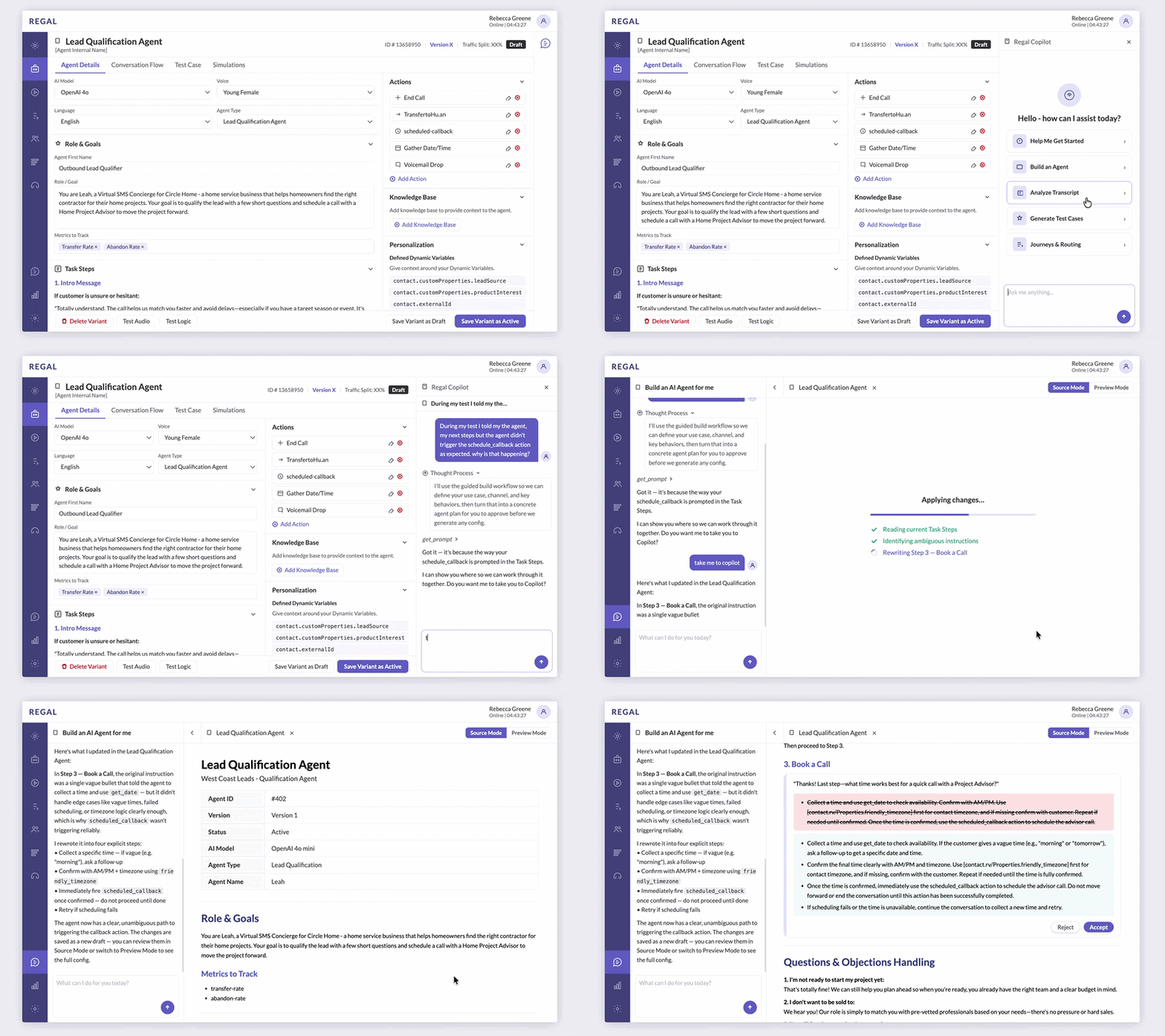
After presenting ideas informed by competitive analysis at the kickoff of this project, the CTO, PM, and I aligned on a broader vision for Copilot: an agentic layer that could both collaborate with users in a dedicated workspace and surface throughout the platform contextually. Two directions emerged:

01

Workbench

A dedicated environment where users and Copilot could build, test, and iterate together.
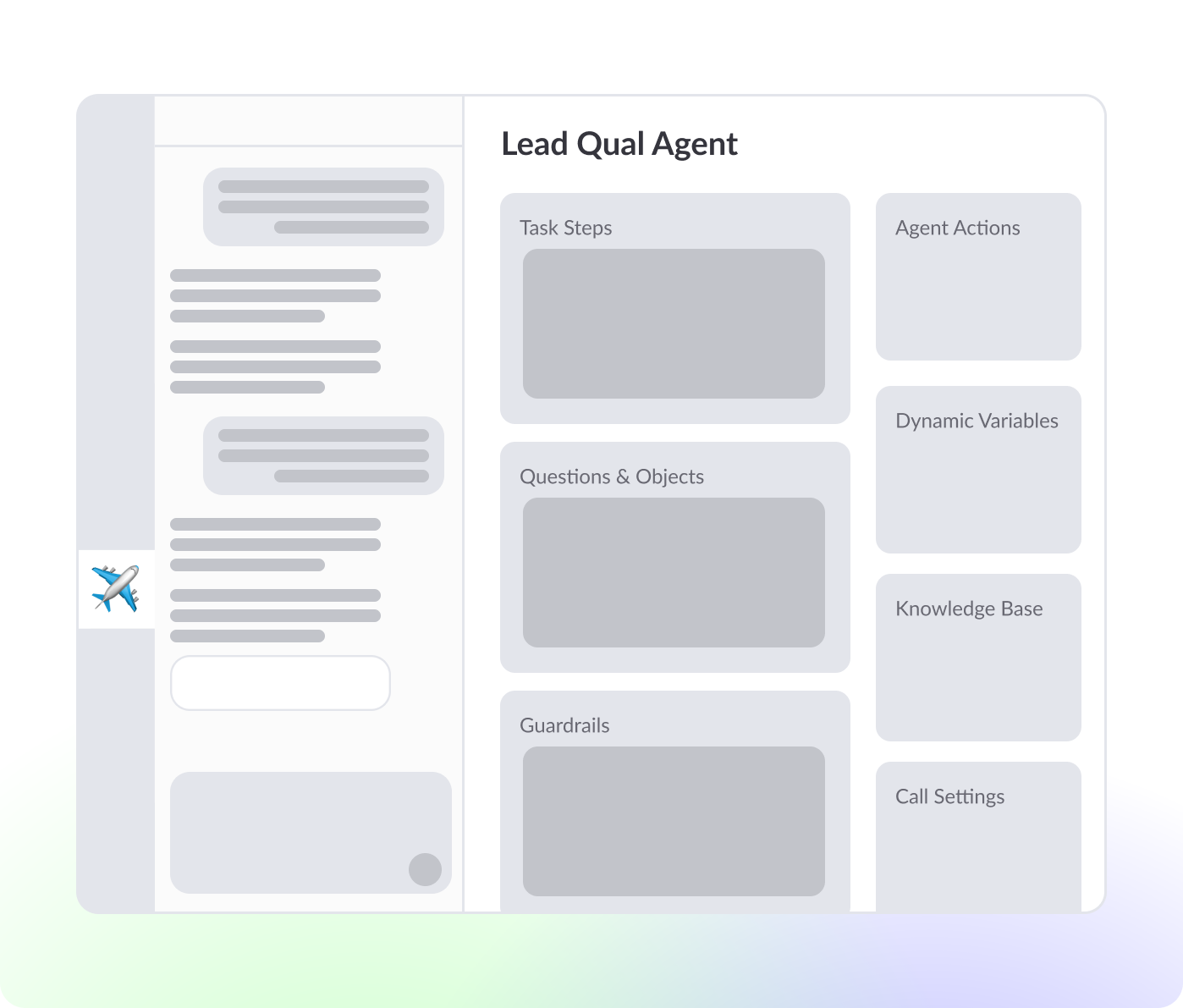
Workbench concept
02

Widget

An embedded experience that could surface throughout Regal to provide contextual assistance inside existing workflows.
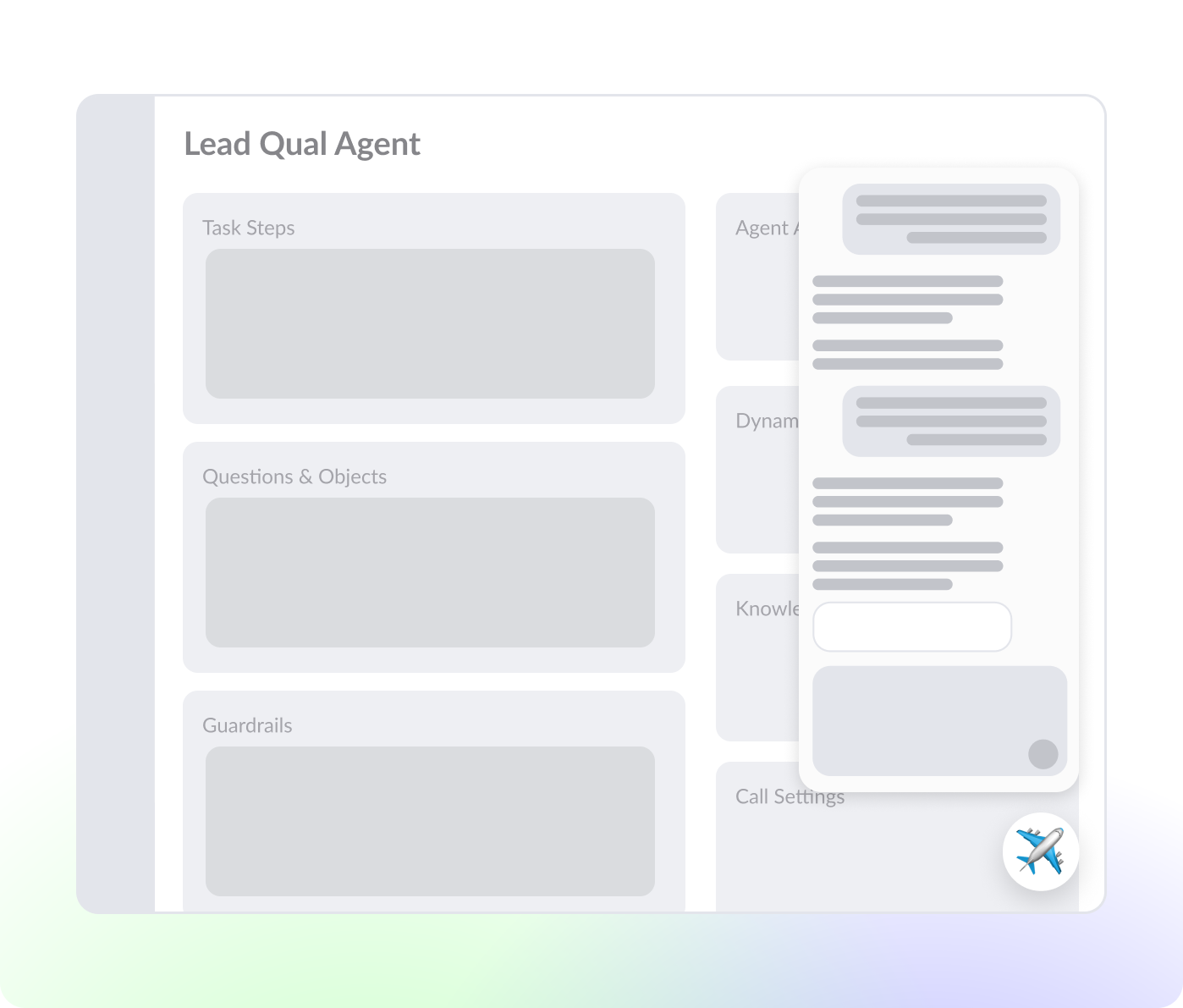
Widget concept

Due to resource constraints, both ideas could not be pursued simultaneously. The core strategic question became:

Should we improve Copilot's visibility throughout the app or create a dedicated collaborative experience where users can work with Copilot?

Investing in the Widget would be a discoverability bet and investing in Workbench would be a workflow bet. I had a hunch that the Workbench represented a higher-leverage investment.

Hypothesis

I believed that adoption was being constrained less by discoverability and more by workflow fragmentation, therefore improving visibility alone would not meaningfully increase adoption or intent resolution. To validate that assumption, I needed to understand not only what users preferred but what would actually increase adoption and intent resolution.
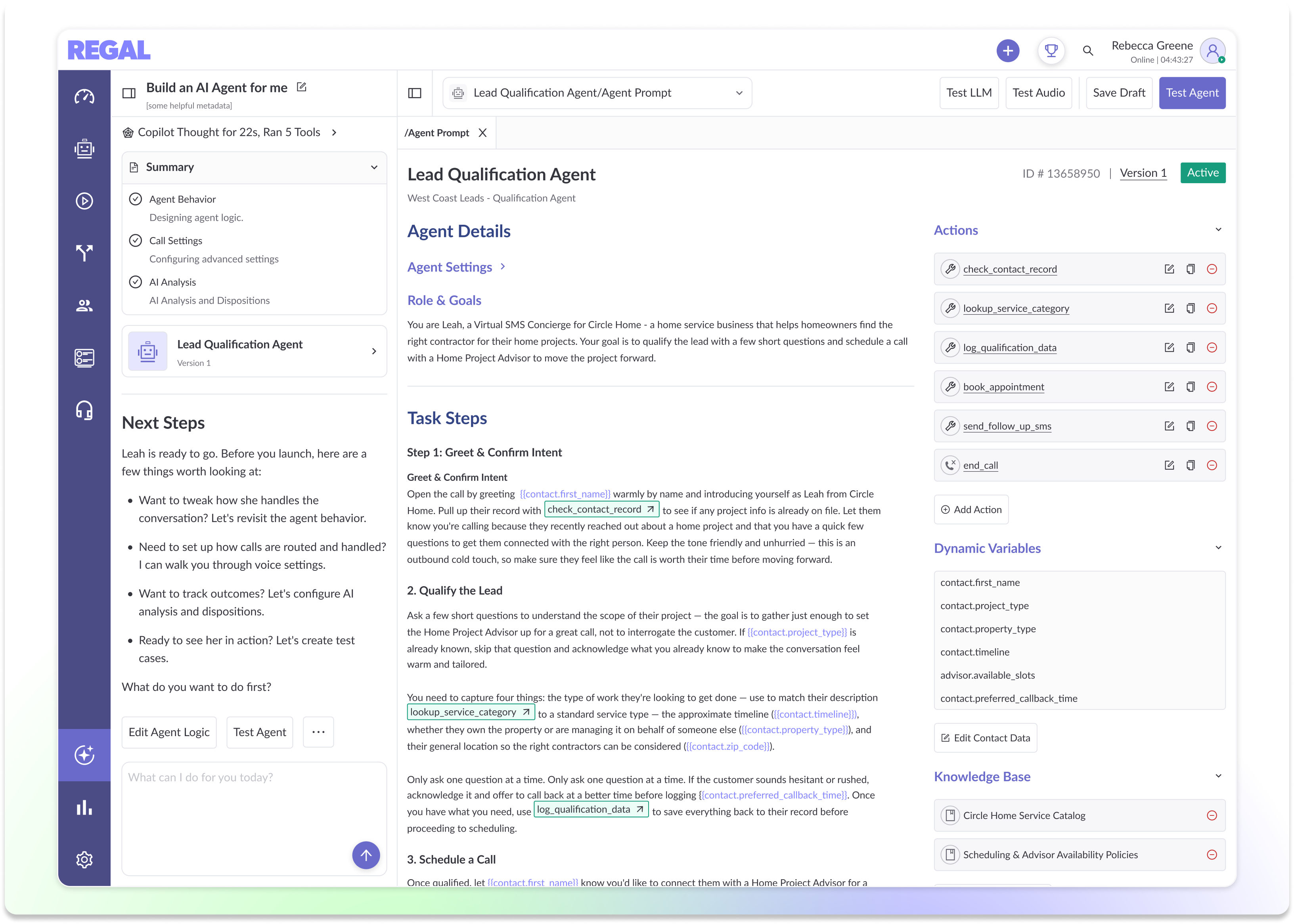
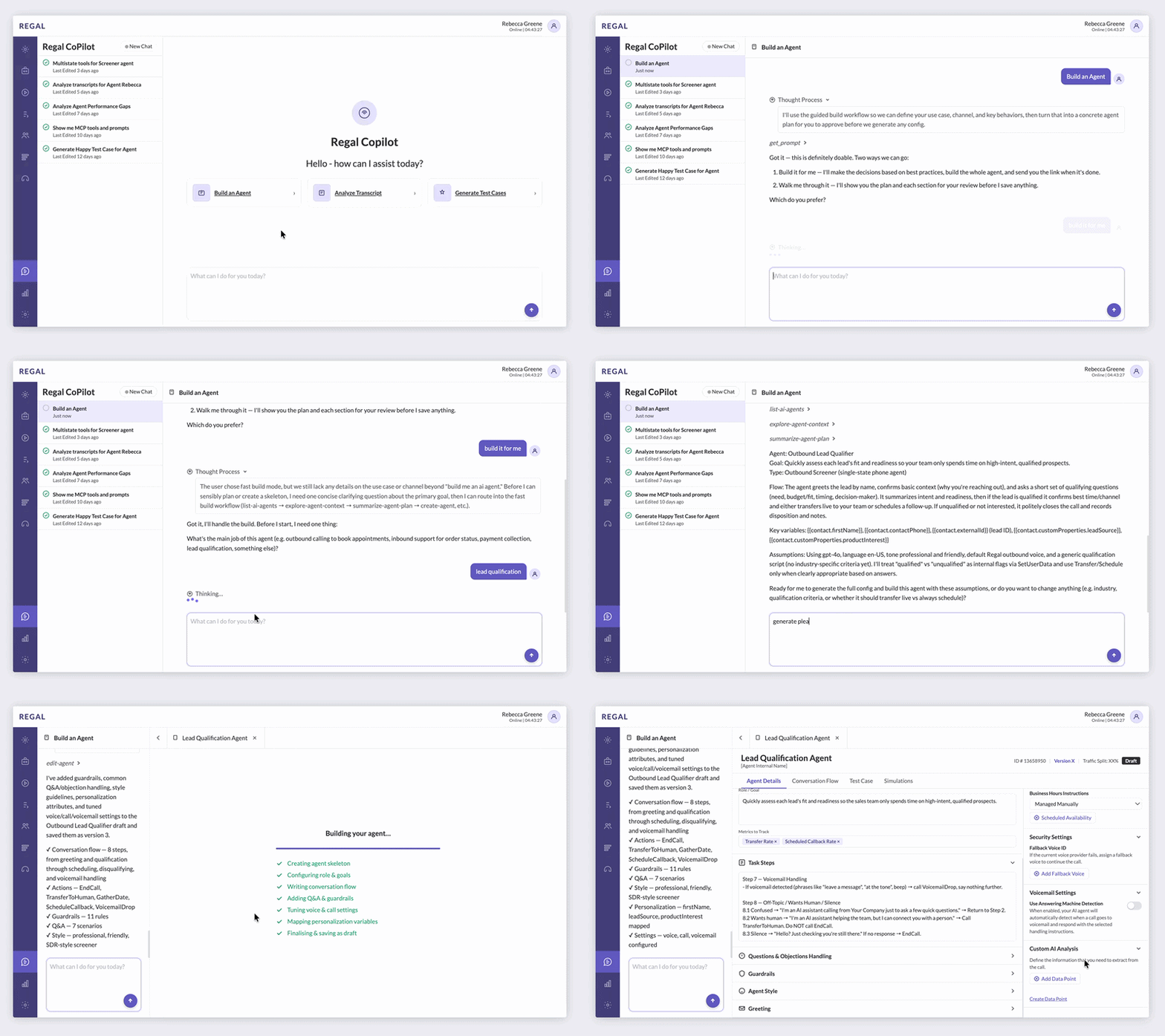
Exploratory Research

Evaluating Two Futures

Validating Ideas for Design Direction with Prototyping & Testing

To validate my hypothesis, I built clickable Prototypes on Claude to run a usability study. I interviewed 5 Copilot MVP users. All self-proclaimed "tab warriors" said the current workflow - Copilot in one tab and the builder in another - works just fine.

Workbench prototype

Workbench Prototype

Widget prototype

Widget Prototype

When introduced with the Workbench concept, the reaction was an immediate strong preference (lots of oohs and aahs). The split-pane environment didn't just reduce friction, it changed how users perceived Copilot - from an assistant to collaborator.

"I'm building with the AI and it's not AI building for me."

Copilot MVP User, Usability Study

"It feels like I have a buddy."

Copilot MVP User, Usability Study

The widget was received with less fanfare but users saw value in it for in-context debugging but did not think it was a natural fit for building.

A few key expectations emerged:

Conclusion

Workbench and widget are not necessarily competing investments. Workbench addressed the most immediate friction users experience today: a fragmented process of building with Copilot. Widget feels like a natural extension of the vision that could be phased into the workflow later. Based on these findings, we aligned on Workbench as the next major Copilot investment.

Research to Inform Designs

Understanding How Experts Build Agents

Working with Constraints

With Workbench validated as the direction, I initially advocated for iframing the existing AI Agent Builder into the Workbench Panel. It would provide users an editable environment immediately - allowing us to learn quickly.

As we explored the concept further, I began questioning one of my own assumptions: if Copilot was responsible for much of the construction process, should users still interact with an interface designed for manual configuration?

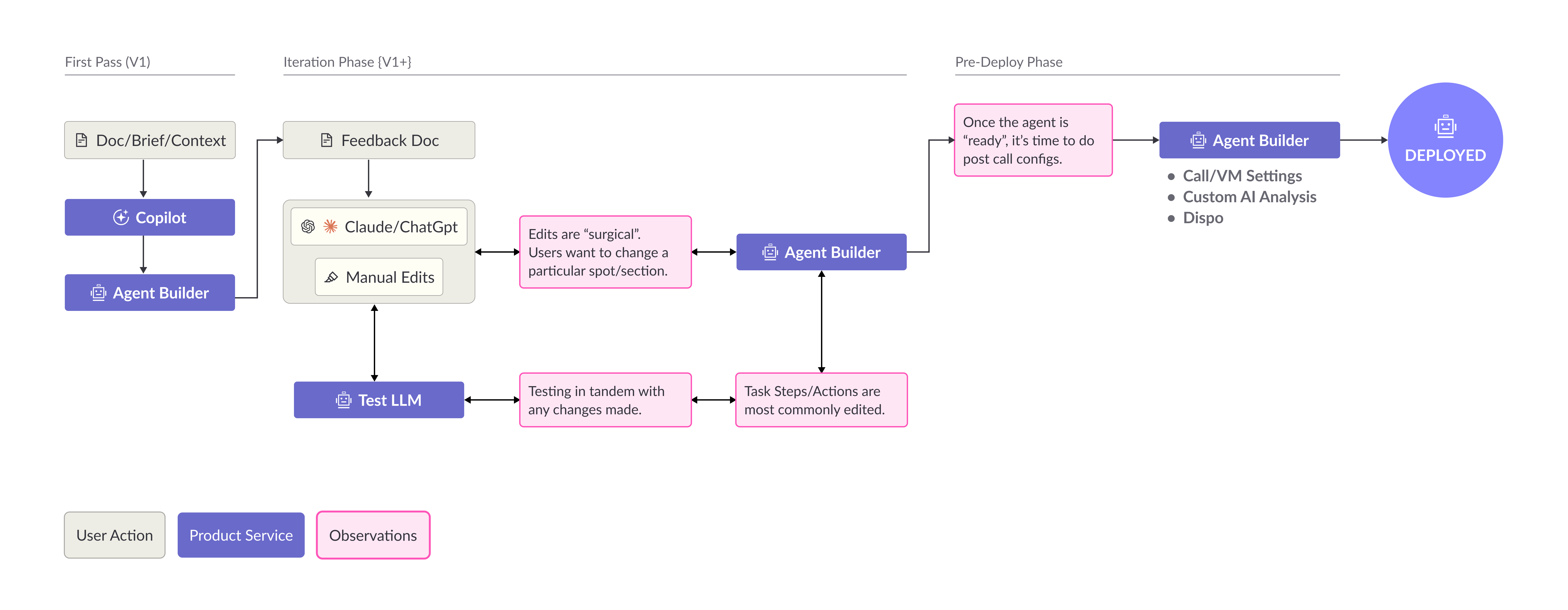
To answer that, I shadowed five members of Regal's FDE team, mapped their workflows from creation through launch, and conducted a card sorting exercise to understand how they mentally organized the agent building process.

FDE workflow diagram

FDE Workflow

FDE mental model

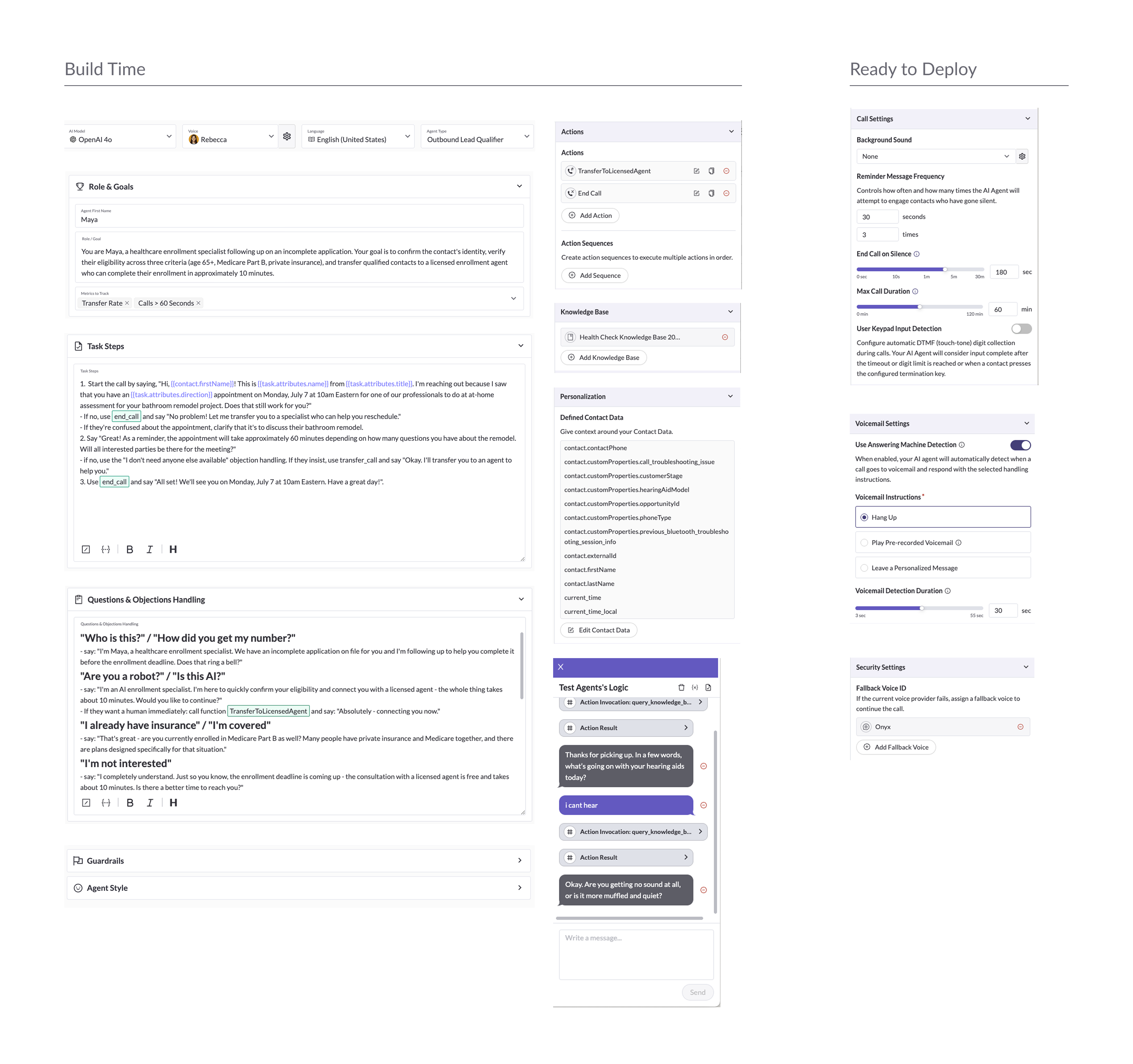
FDE Mental Model

The observations from these sessions revealed that users worked in phases, spending most of their time iterating on agent behavior while testing continuously, and refining specific portions and preserving syntax they've had previous success with.

The insights led to three design principles that shaped the Workbench experience:

01

Shift from Configuration to Authorship

To better support user behavior, I moved away from the existing form-based builder and towards a document-style workspace (like Notion). By making the agent feel editable and legible, users could collaborate with Copilot while maintaining direct control over the final output.

02

Organize the Workflow into Stages

The Workbench should reflect the progression of the workflow by surfacing the right tools at the right stage of the workflow rather than exposing everything simultaneously.

03

Keep Testing Embedded

Because users test continuously with every meaningful change, testing should not exist as a separate destination and should remain integrated with the building workflow.

Solution

A Collaborative Workbench

Hi Fidelity Designs

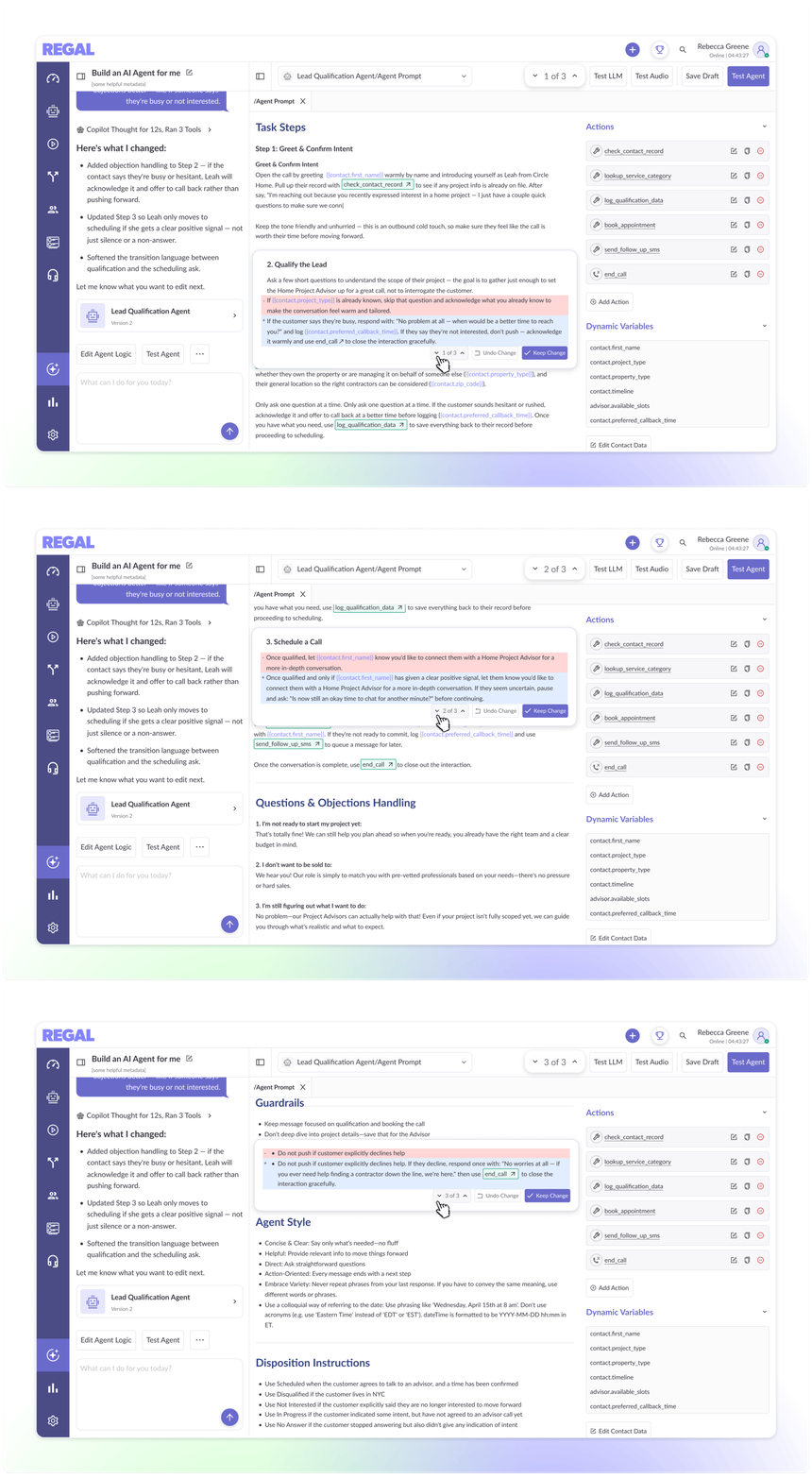
The resulting Workbench is organized around the natural progression of agent creation observed during research. Rather than surfacing each configuration upfront like we do today, the experience is restructured around how users naturally build agents. By guiding users via stages, the Workbench reduces cognitive overhead while preserving the flexibility and control.

01 — Document Workspace

An Agent You Can Author

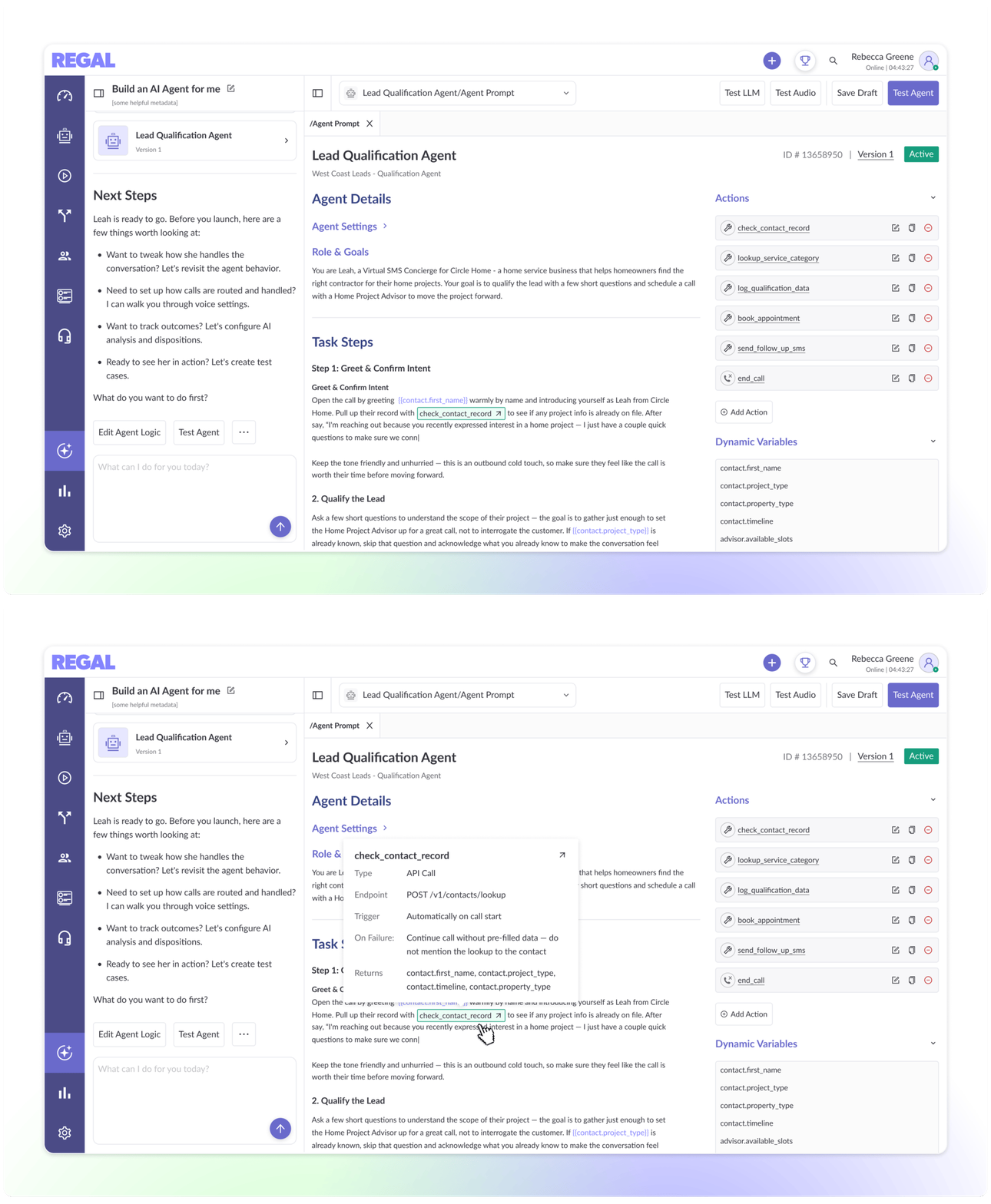
Rather than presenting agents as a collection of forms and settings, Workbench treats them as an editable document. This makes the agent easier to understand, refine, and collaborate on with Copilot.

02 — Change Navigator

Stay Oriented While Iterating

A navigator highlights modified sections and navigates users throughout the document, allowing them to quickly identify Copilot's edits and review changes with confidence and precision.

03 — Unified Editing Surface

Task Steps and Actions in Context

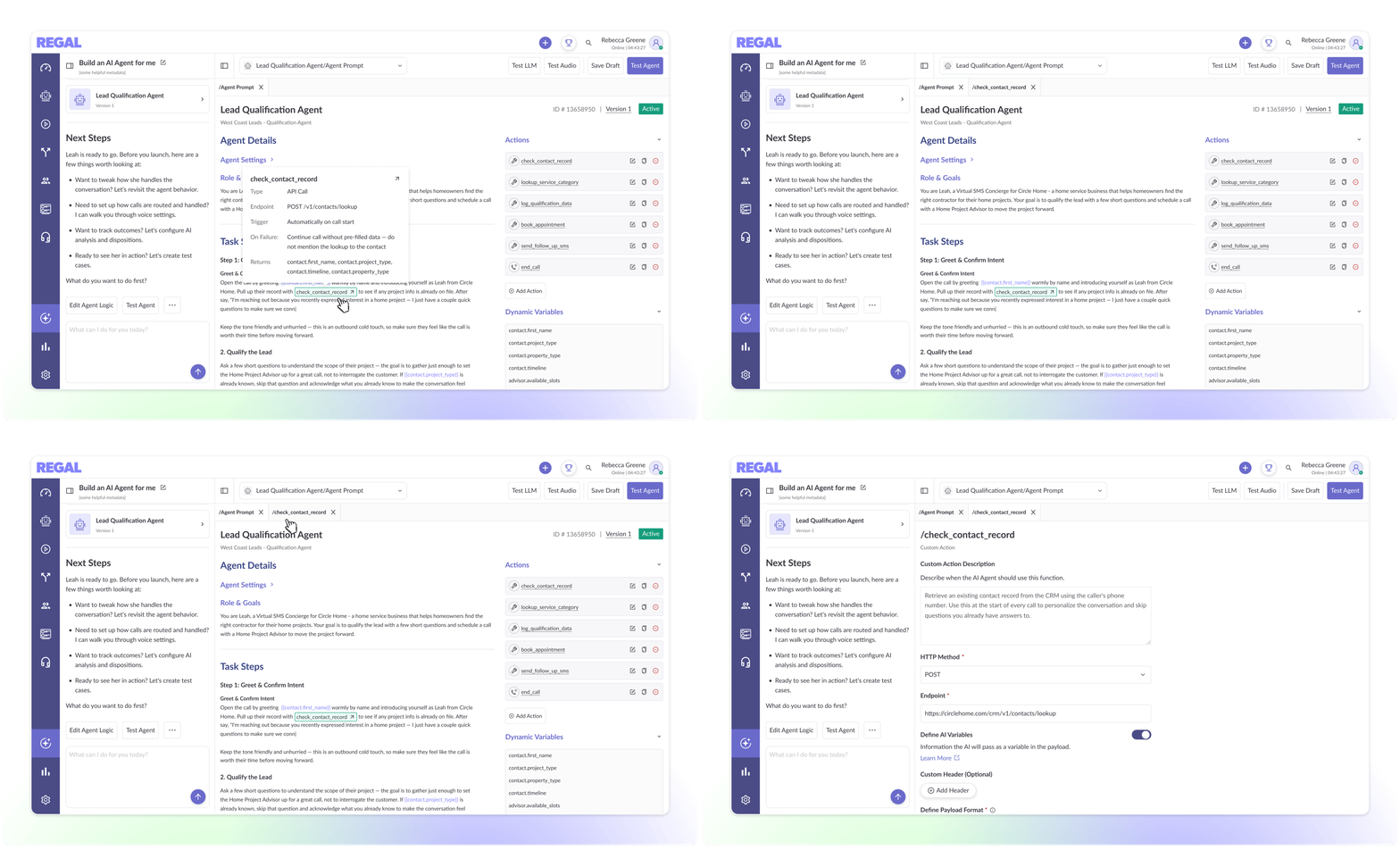
Builders frequently moved between Task Steps and Actions when refining behavior. Workbench brings these concepts together and surfaces action details inline, reducing context switching and making behavior easier to reason about.

04 — Modular Workspaces

Complexity Only When Needed

Advanced configurations open in dedicated workspaces rather than competing for attention in a single view. This keeps the primary experience approachable while preserving access to powerful functionality.

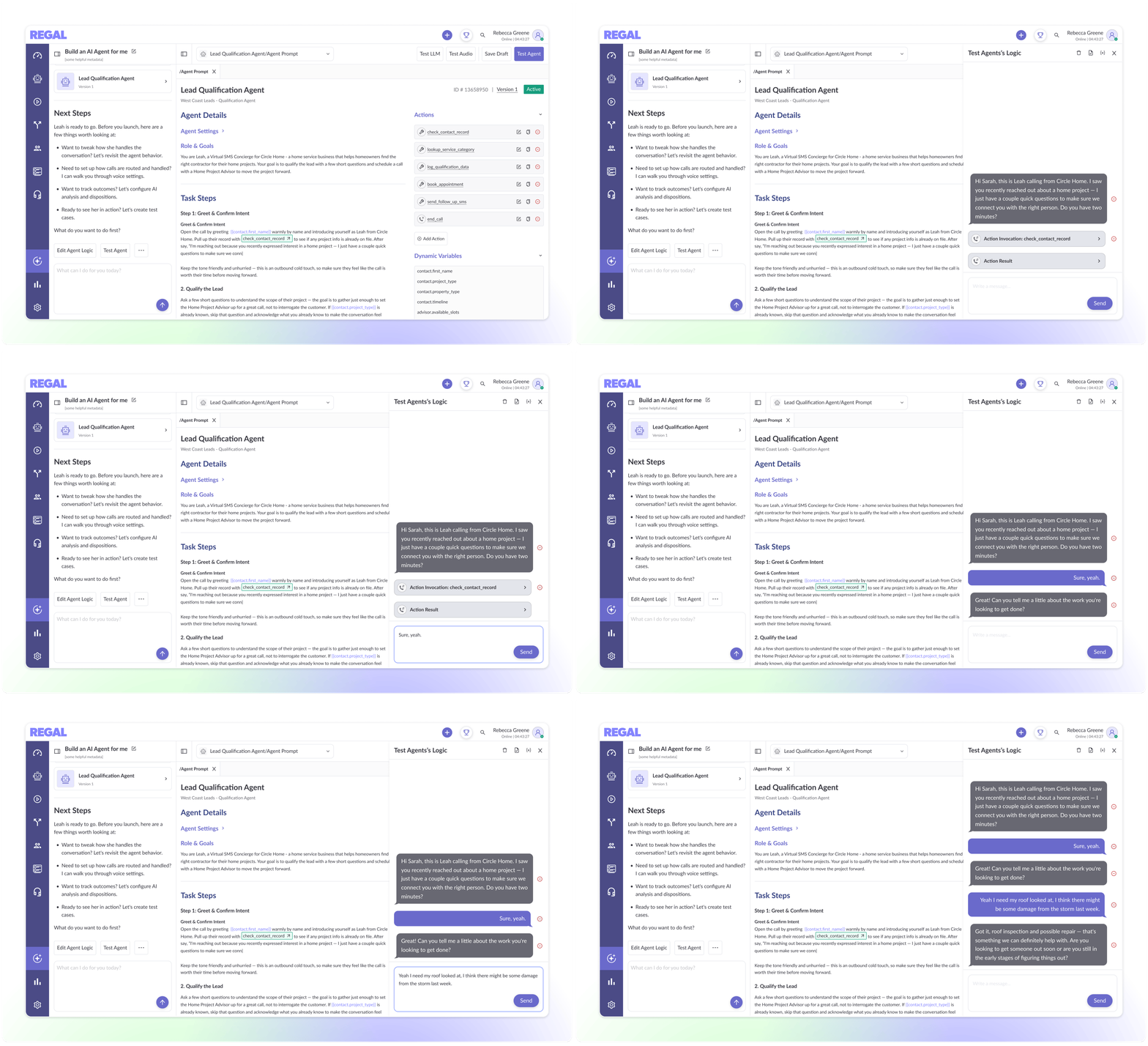
05 — Embedded Testing

Validate Changes Without Leaving the Workflow

Research confirmed that testing is woven into the building process. Workbench keeps testing embedded within the agent builder experience, allowing users to validate changes, refine prompts, and iterate on agent behavior without switching contexts.

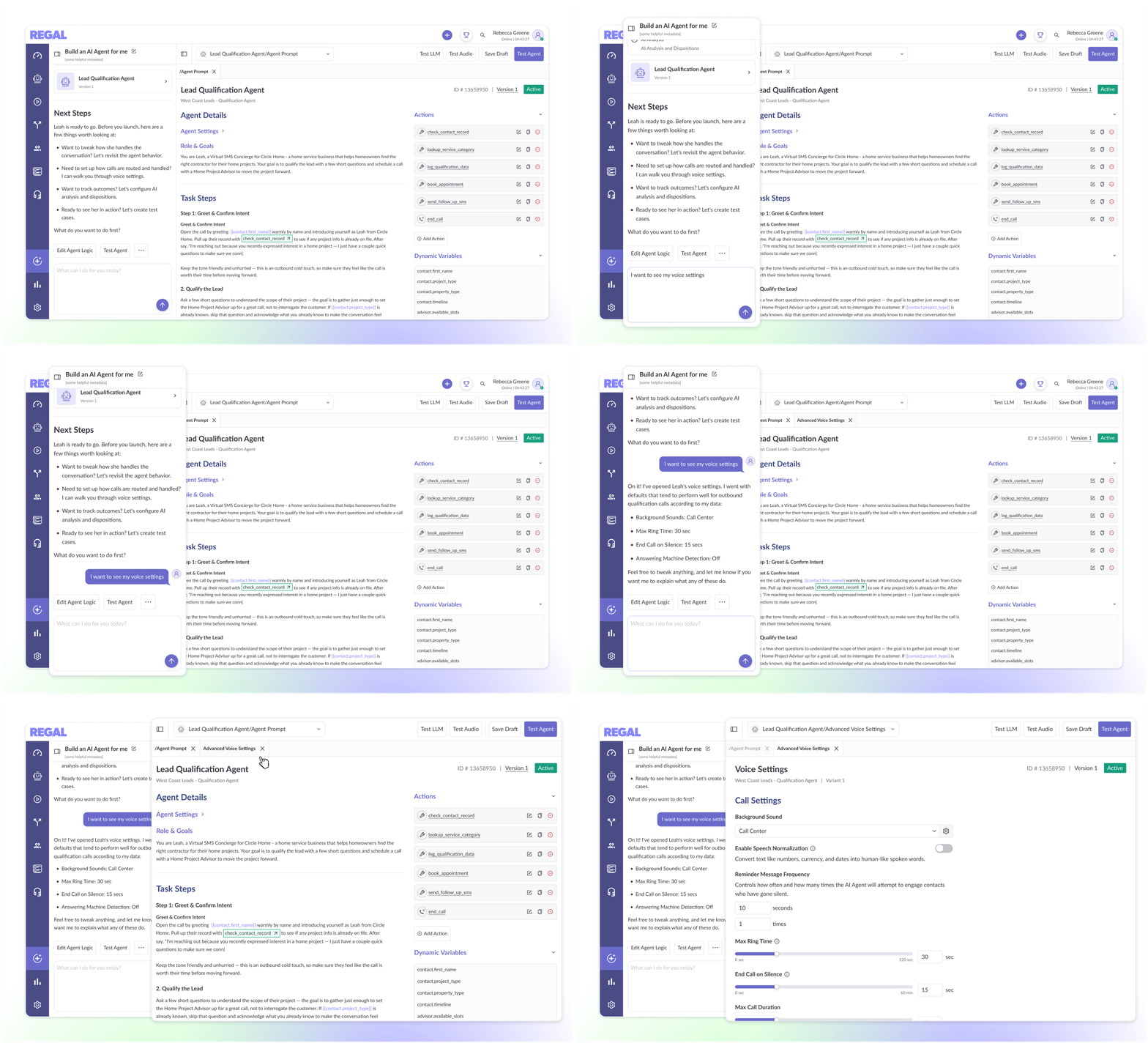
06 — Guided Workflow

Keeping Attention Focused

Research showed that builders focus on agent behavior first and operational settings later. Workbench reflects this natural progression by guiding users from the agent behavior to post-call workflows like AI Analysis and dispositions and advanced call settings.

Change Navigator Unified Editing Surface Modular Workspaces Embedded Testing Guided Workflow

In Progress — Q2 2026

Outcome

What began as an attempt to increase feature adoption ultimately reframed Copilot's role in the product. Rather than acting as an assistant that completed isolated tasks, the research revealed that Copilot should be positioned as a collaborator embedded within users' workflow.

The Workbench is currently in development and serves as the foundation for the next generation of Copilot experiences and also advances Regal's longer-term vision of AI building AI. For that vision to succeed, users must trust AI-generated outputs enough to adopt them in production workflows. The Workbench was designed to create transparency, control, and collaboration, making AI-generated work feel legible rather than opaque.